






09:3011:00Being washedReady
 1234 ABCAudi A3 · WhiteBay 1Ana García
FinishHand over
Your customers book and pay online from their phone, at any time of day. Your team sees the day's work bay by bay and moves each car along with a tap.
Lavevia is getting ready to launch. In the demo, the data is sample data and payment is simulated: real online payment is switched on at launch.
Animated recreation of the app with sample data.
Your customers book by themselves through your link, with no account or app, and only see times when a bay is free.
The booking is confirmed with online payment and cancellations follow the policy you set, with an automatic refund when it applies.
The whole team works from the same schedule by bay, on their phone or computer, and knows which car is next at any moment.
Lavevia doesn't just organise your day: it's designed to help your car wash sell more.
Your car wash takes bookings through your link even when it's closed or your hands are full. Customers book in a couple of minutes, with no account or app, and can only choose times when you have a free bay.
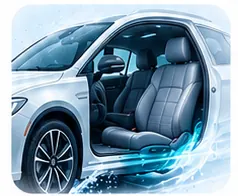
When booking, every customer sees your extras with a photo, price and time, and adds them with a tap. What gets forgotten at the counter is always offered in the booking. In Reports you can see your average ticket and best-selling extras.
Automatic reminders before the appointment and the “your car is ready” email make the experience easy from start to finish. Every customer has a record with their cars and history, and Reports show you how many come back.
From your site's link, on their phone, with nothing to download.
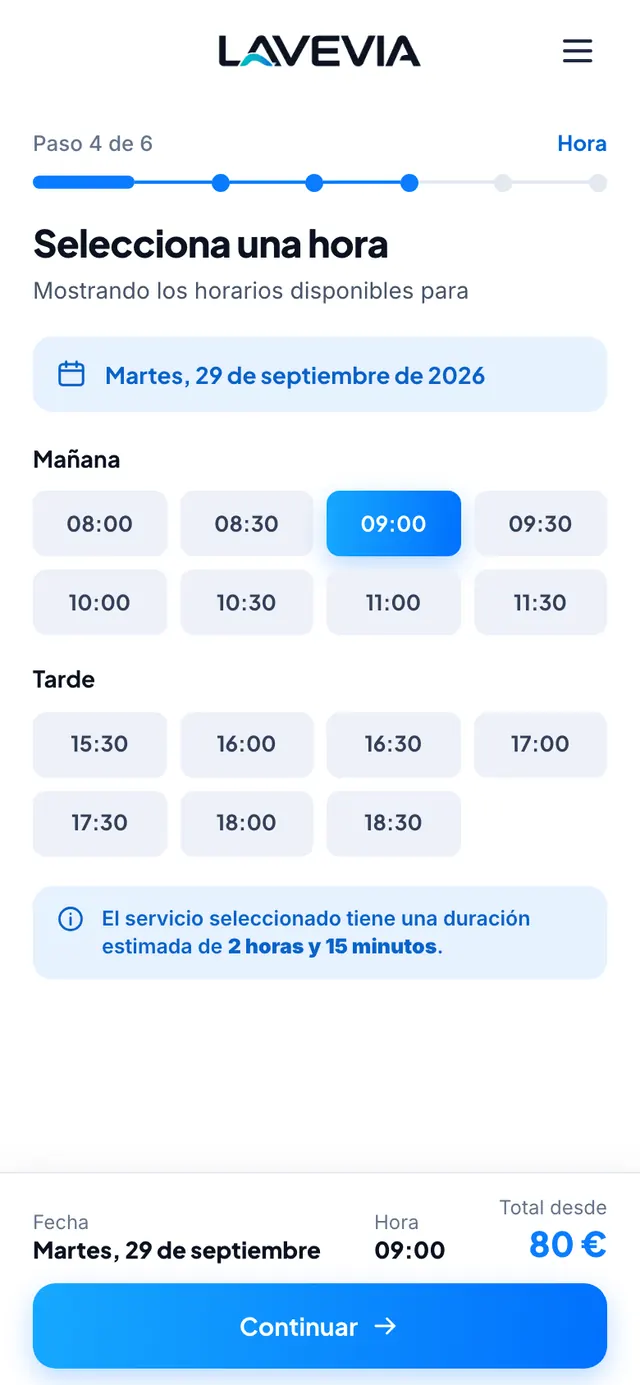
With the price and duration of every service. Extras that don't go together can't be combined.
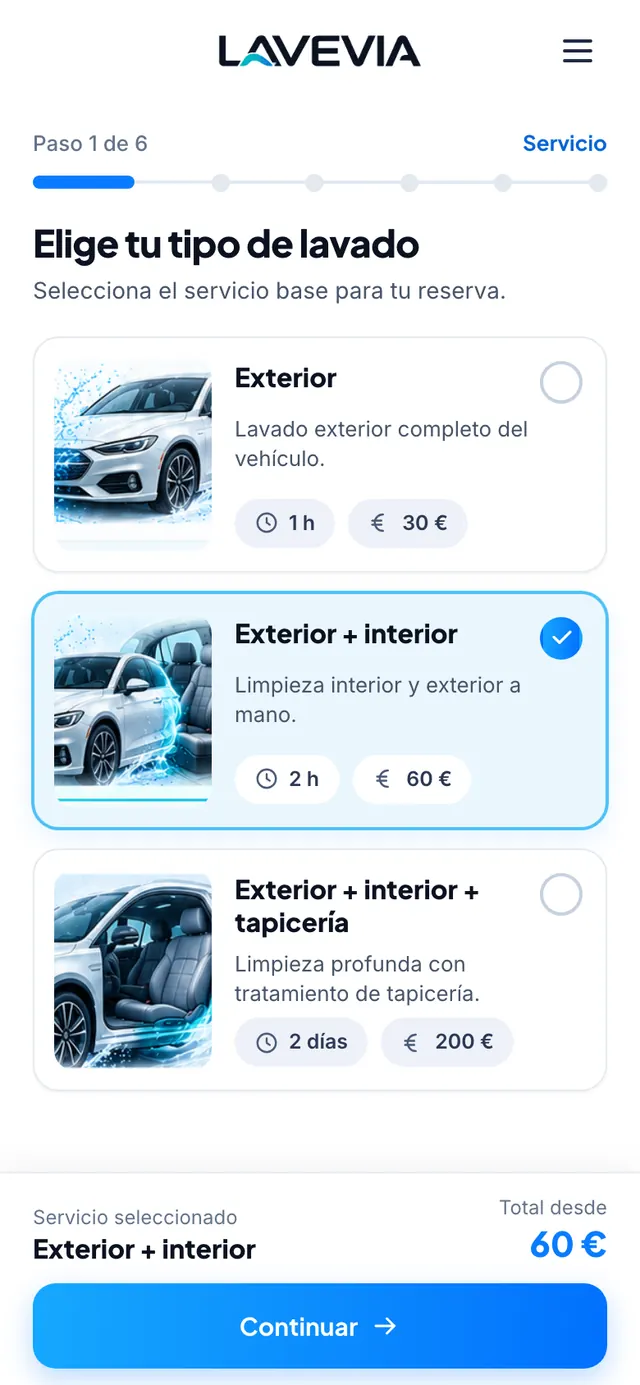
Availability is worked out from your opening hours, public holidays, closures and bays, and takes into account how long the chosen service lasts.
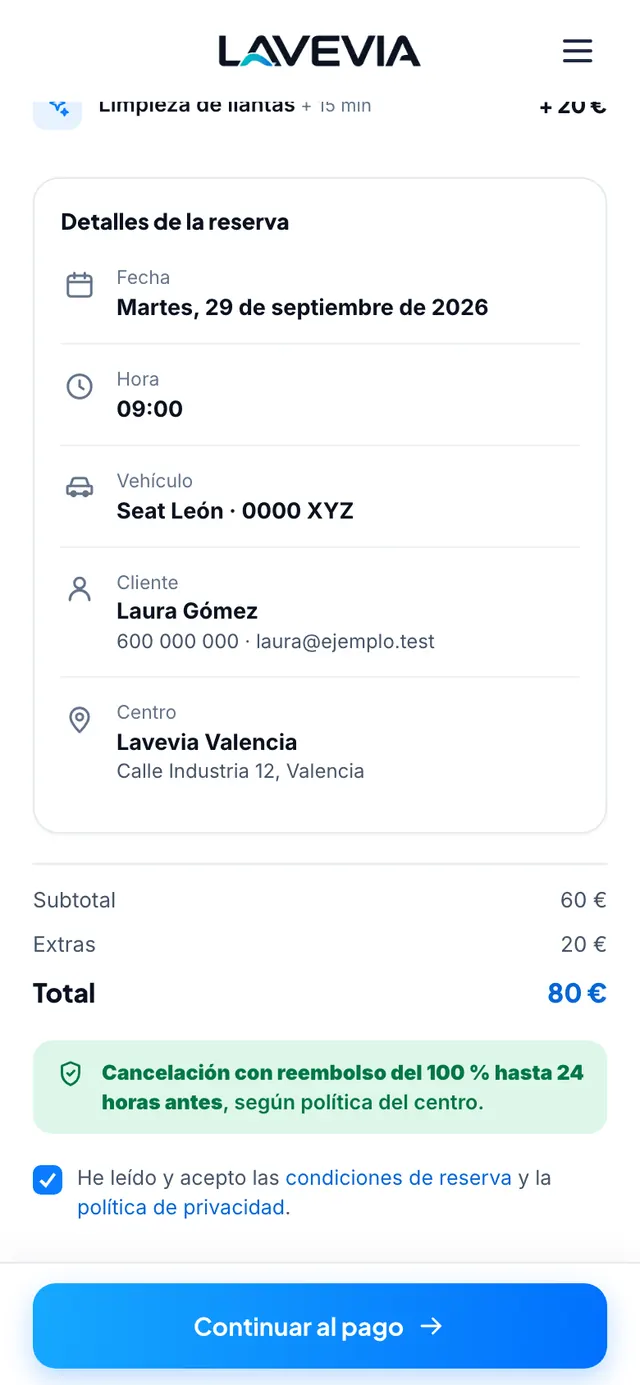
Service, extras, date, vehicle, total and cancellation terms on a single screen. The booking is confirmed on paying online.
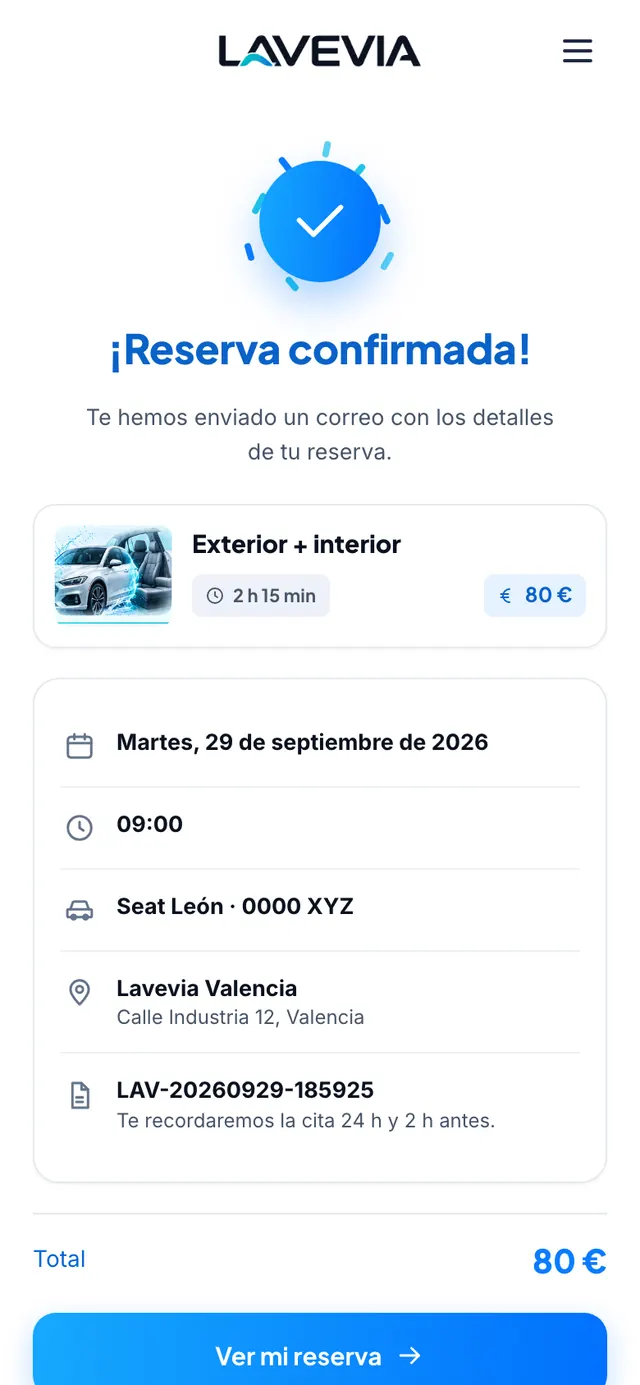
The customer gets the confirmation by email and, from their link, can check the booking or cancel it according to your policy.
With the price and duration of every service. Extras that don't go together can't be combined.
Availability is worked out from your opening hours, public holidays, closures and bays, and takes into account how long the chosen service lasts.
Service, extras, date, vehicle, total and cancellation terms on a single screen. The booking is confirmed on paying online.
The customer gets the confirmation by email and, from their link, can check the booking or cancel it according to your policy.
Your team sees the day's bookings and the status of every car, and updates it as they go.
Every booking takes its own bay and the system stops two from clashing in the same one. It can be reassigned if needed.
Arrived, being washed, ready and picked up. If a customer is late, you can mark the delay or the no-show, with the grace period you set.
When the wash is finished, the customer gets an email to let them know.
They're added to the same schedule and the customer receives a link to pay. They can be changed, too.
Animated recreation of the app's schedule, with sample data.
Everything that used to be split between the notebook, your phone and a spreadsheet.
Prices, durations, extras for each service and which ones don't go together.
Weekly opening hours, special days and one-off closures. If you close on a day with bookings, they're cancelled and refunded, and each customer is notified.
A record for every customer and every car, with their booking history.
Administrators and employees, each with what they need. Joining is by invitation.
Revenue, bookings, average ticket, occupancy, cancellations, no-shows, and new and returning customers.
Each site with its own bays, opening hours and services. Switch from one to another without signing out.
Confirmation, reminders before the appointment (configurable per site), changes, cancellations, refunds and “car ready”.
Coming soonWhatsApp notifications from your car wash's own number.
A monthly fee and, depending on the plan, an amount per site. No commission on bookings: what you take is yours. We'll help you choose during the demo.
€29/ month
Flat fee
€59/ month
Flat fee
€119/ month
Flat fee
Monthly prices excluding VAT (21%).
Your team signs in with a passkey (their device's fingerprint, face or PIN) or with a password plus a mandatory second factor: an authenticator app or a code by email. A stolen password isn't enough to get in.
Each car wash's data is kept apart and each person only sees what their role allows.
The application and its database are hosted in Germany.
Data of customers with no activity is automatically anonymised once the retention period ends.
Each site has its own booking link. You share it wherever your customers already find you: your website, your social media or your Google Business Profile.
No. They book from their phone or computer browser, with no account or app, and manage their booking from the link they receive by email.
You'll find the plans in the Pricing section: a monthly fee and, depending on the plan, an amount per site, with no commission on bookings. During the demo we'll help you choose the one that suits your car wash.
Yes. Each site has its own bays, opening hours, services and team, and you manage them all from the same account.
Tell us about your business and we'll get in touch to show you the product.